

Integration page
Google Calendar Integration for Tasks, Projects, and Focus Sessions
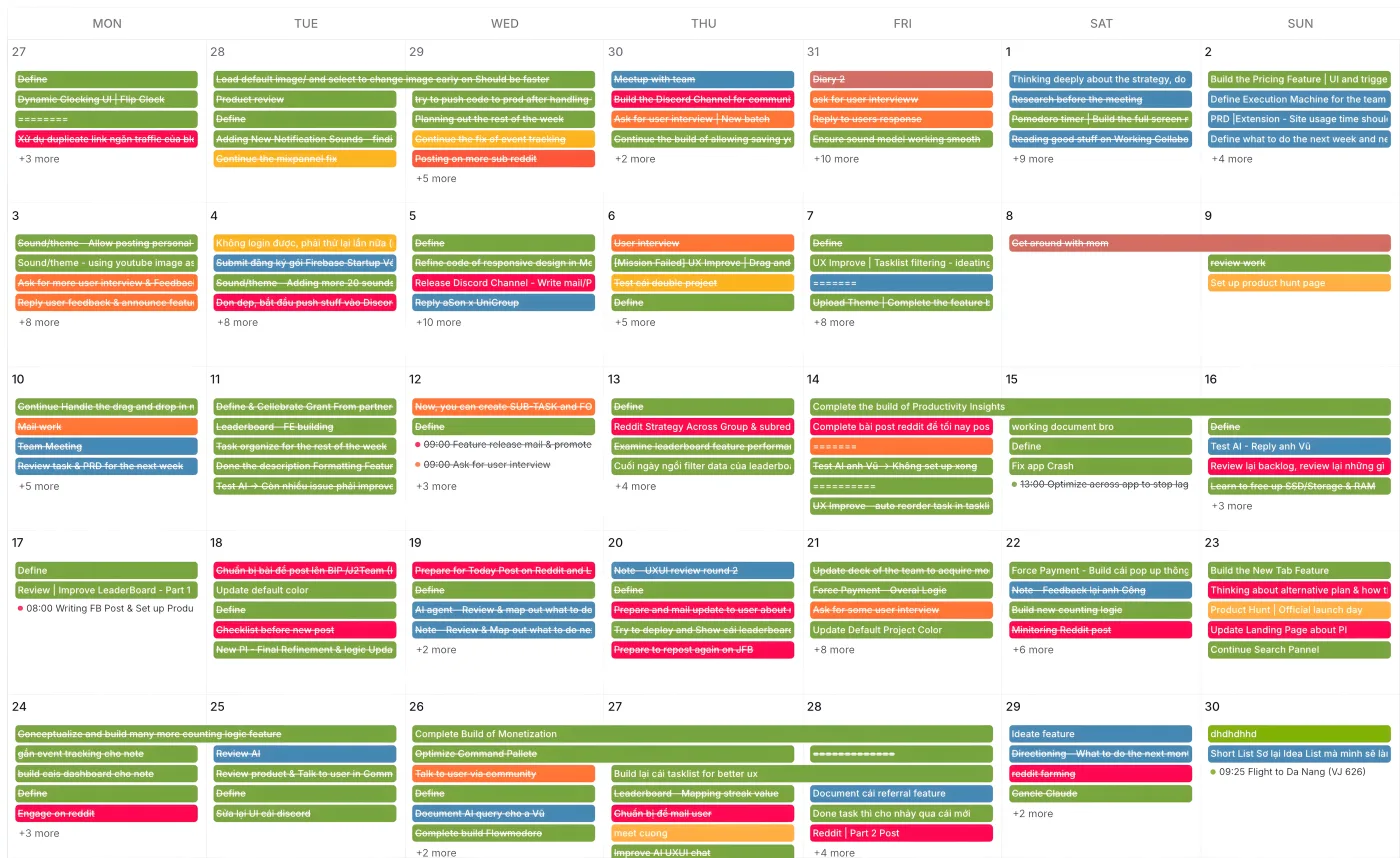
10000hours integrates with Google Calendar so tasks, project schedules, and focus sessions can stay aligned with the calendar you already use. Connect Google Calendar, sync scheduled work, plan around meetings, and review focused work inside the same 10000hours workflow.
Last updated May 8, 2026 · Last reviewed May 8, 2026
COMPARISON
How is 10000hours different from using Google Calendar alone?
Google Calendar
Google Calendar is strong for meetings and events, but it is not built around focus timers, task execution, or productivity review.
Task app calendar view
A task app calendar view shows tasks on dates, but it may not connect them to focus sessions, project time, and analytics.
Automation connector
An automation connector can move data between apps, but it usually adds workflow setup, rules, and maintenance.
10000hours Google Calendar integration
10000hours Google Calendar integration connects calendar context with tasks, projects, focus sessions, timers, and productivity review.
How to connect Google Calendar to 10000hours
Open Integrations in 10000hours settings
Go to the Integrations area in 10000hours settings and find Google Calendar.
Choose Google Calendar
Select Google Calendar from the available integrations.
Grant Google Calendar access
Allow 10000hours to access Google Calendar so sync can be enabled for your account.
Enable sync
Turn on Google Calendar sync inside 10000hours.
Let 10000hours sync existing tasks
During setup, 10000hours can sync existing tasks to Google Calendar. This may take a moment.
Use Sync Now, Reconnect, or Retry Sync if prompted
If sync needs attention, use the available Sync Now, Reconnect, or Retry Sync controls in 10000hours.
What syncs between 10000hours and Google Calendar?
- 10000hours supports Google Calendar sync for tasks and scheduled work.
- Existing tasks can be synced to Google Calendar during setup.
- The app shows sync status, last sync, pending tasks, errors, and real-time or polling mode.
- 10000hours can use Google Calendar webhook/delta sync where enabled, but sync timing depends on Google's delivery and the connection state.
- Where enabled, 10000hours can organize project-related work with separate Google Calendar context.
Troubleshooting Google Calendar sync
Google Calendar access is required
If access is missing, grant Google Calendar permission from the 10000hours integration settings before enabling sync.
Authorization expired or was revoked
If authorization expires or is revoked, use the Reconnect control in 10000hours to restore Google Calendar access.
Initial sync failed
If initial sync fails, use Sync Now or Retry Sync in 10000hours, and re-authorize Google Calendar if prompted.
Sync seems delayed
Google Calendar sync timing depends on Google delivery, connection state, and whether realtime sync or polling mode is active.
Pending or error tasks appear
Review the pending and error counts in 10000hours sync status, then retry sync after checking that calendar access is still active.
Realtime sync is unavailable and polling mode is shown
Polling mode can appear when realtime sync is unavailable. 10000hours can still sync, but updates may not feel instant.
Disable sync keeps existing tasks and projects
Disabling Google Calendar sync stops automatic syncing, but 10000hours keeps existing tasks and projects.
WHO IT’S FOR
Who should use the Google Calendar integration?
Students
A student can sync class commitments, then use 10000hours to schedule study blocks around lectures, exams, and assignment deadlines.
Uses: Calendar · Pomodoro · Tasks
Freelancers
A freelancer can see client calls from Google Calendar and plan focused delivery work into the open hours inside 10000hours.
Uses: Calendar · Tasks · Projects
Founders and teams
A founder or team member can plan project work around meetings, then review focus sessions and productivity context in 10000hours.
Uses: Calendar · Tasks · Focus Analytics
Frequently Asked Questions
Practical answers about connecting Google Calendar to 10000hours, syncing tasks, planning focus sessions, and fixing sync issues.
Does 10000hours integrate with Google Calendar?
Yes. 10000hours Google Calendar integration connects calendar context with tasks, project schedules, and focus sessions in the 10000hours workflow.
How do I connect Google Calendar to 10000hours?
Open Integrations in 10000hours settings, choose Google Calendar, grant access, enable sync, and let 10000hours sync existing tasks if prompted.
What syncs between Google Calendar and 10000hours?
10000hours Google Calendar integration supports syncing tasks and scheduled work, with calendar context used for planning focus sessions and project work.
Is Google Calendar sync two-way?
10000hours supports Google Calendar sync where enabled, including task and calendar updates in the connected workflow. Exact behavior can depend on account settings and sync state.
Is Google Calendar sync real time?
10000hours can use Google Calendar webhook/delta sync where enabled, but timing depends on Google's delivery and the current connection state, so instant sync is not guaranteed.
Can I schedule focus sessions around Google Calendar events?
Yes. 10000hours helps users plan focus sessions around Google Calendar events such as meetings, classes, client calls, and other commitments.
Can I sync tasks with Google Calendar?
Yes. 10000hours Google Calendar integration can sync tasks and scheduled work with Google Calendar when sync is enabled for the account.
Can I sync projects with Google Calendar?
Where enabled, 10000hours can organize project-related work with separate Google Calendar context, while still keeping project planning inside 10000hours.
Can students use Google Calendar integration for study planning?
Yes. 10000hours Google Calendar integration helps students plan study sessions around classes, exams, assignment deadlines, and existing calendar commitments.
Can freelancers use Google Calendar integration for client work?
Yes. Freelancers can use 10000hours with Google Calendar to plan client calls, project blocks, and focused delivery work in one schedule-aware workflow.
How is this different from Google Calendar alone?
Google Calendar manages events. 10000hours adds tasks, projects, focus sessions, timers, and productivity review around that calendar context.
Other tools also offer Google Calendar sync. How is 10000hours different?
10000hours Google Calendar integration is built around focus execution: tasks, projects, timers, focus sessions, and productivity review, not calendar sync alone.
Which 10000hours plan includes Google Calendar integration?
The pricing page lists Google Calendar sync as a 10000hours Pro feature. Check current pricing for the latest plan details.
What should I do if Google Calendar sync stops working?
In 10000hours, check sync status, use Sync Now or Retry Sync, and reconnect Google Calendar if authorization expired or access was revoked.