
Focus analytics
See where your time actually went
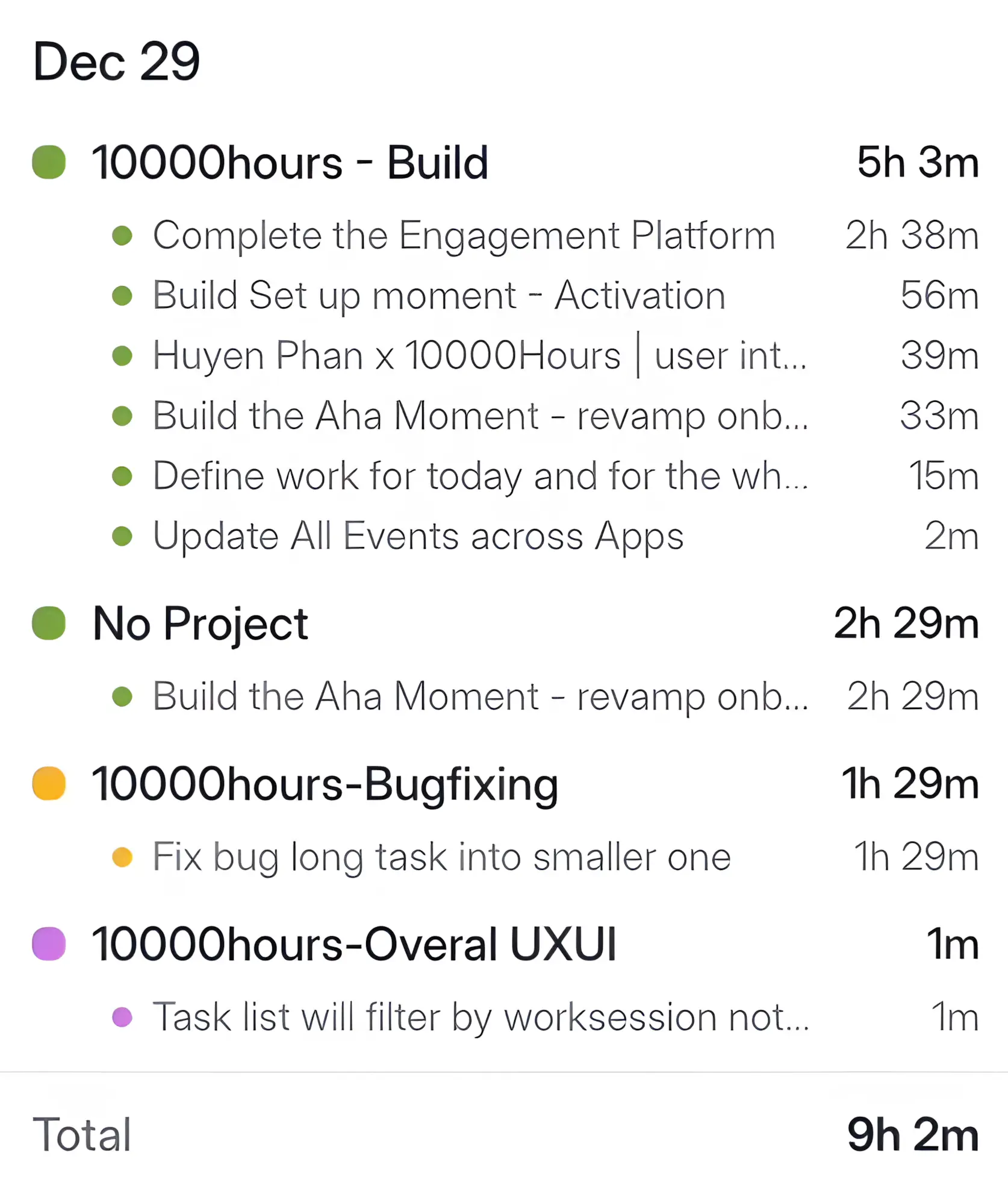
Every focus session is tracked and rolled up so you can review your work by project, task, and subtask. Then understand your real working insights, not just what your to-do list claims.
Feature page
10000hours Focus Analytics shows where your hours went, which projects you fed, which tasks took longer than you thought, and how consistent your focus has been.
Last updated May 8, 2026


.webp)

COMPARISON
| What you actually need | Toggl Track | Rize | Flocus | LifeAt | 10000hours Focus Analytics |
|---|---|---|---|---|---|
| Automatic activity capture without manual cleanup | ~ | ✓ | ✗ | ~ | ✓ |
| Project-level time breakdown | ✓ | ✓ | ✗ | ~ | ✓ |
| Task-level focus session history | ~ | ~ | ~ | ~ | ✓ |
| Subtask-level time allocation | ✗ | ✗ | ✗ | ✗ | ✓ |
| Focus score or focus quality review | ✗ | ✓ | ✗ | ✗ | ✓ |
| Streak and consistency heatmap for habit review | ✗ | ~ | ✓ | ✗ | ✓ |
| Connected to Pomodoro and Flowmodoro sessions | ~ | ~ | ✓ | ✓ | ✓ |
| Long-term progress toward 10,000-hour goals | ✗ | ✗ | ✗ | ✗ | ✓ |
✓ Yes~ Partial or limited support✗ No
WHO IT’S FOR
A founder can review which projects consume the most work time and check whether strategic work is receiving enough focus.
Uses: Project breakdown · Streaks · Peak hours
A developer can review time spent on implementation, debugging, code review, and recurring project work before planning the next sprint.
Uses: Task duration · Project breakdown
A student can track study blocks, streaks, and long-term progress toward learning goals without relying on memory alone.
Uses: Streaks · Progress · Pomodoro
A freelancer can review project or client time patterns before planning the next week and deciding where focused work should go.
Uses: Project breakdown · Task duration
Practical answers about reviewing focus time, task duration, project time, and long-term work patterns in 10000hours.
Yes. 10000hours includes Focus Analytics for reviewing tracked work sessions, project time, task duration, streaks, progress, and productivity timing patterns.
Yes. 10000hours connects focus sessions with task and project context, so users can review how long work took by task, project, or date.
Yes. 10000hours Focus Analytics includes project time breakdowns that show which projects consume the largest share of tracked work, helping users compare actual time spent with planned priorities.
Yes. 10000hours Focus Analytics includes views for progress, project time, task duration, streaks, and daily, weekly, or monthly work patterns.
Compare work time across daily, weekly, and monthly periods. Repeated high-focus windows can show when focused work happens most consistently, and 10000hours Focus Analytics makes those patterns easier to review.
A basic Pomodoro timer usually only counts down. In 10000hours, timer sessions can connect to Focus Analytics so repeated sessions become part of a reviewable work pattern.
Yes. A basic time tracker records time. 10000hours Focus Analytics emphasizes personal review: project allocation, task duration, streaks, progress, and peak productivity patterns.
Manual tracking can work, but it often requires cleanup, spreadsheets, and separate charts. Focus Analytics keeps the review connected to the work sessions already tracked in 10000hours, so reflection happens without rebuilding the data.
Toggl is often used for time logs and billing. Rize and RescueTime focus on app or site usage. 10000hours focuses on tracked focus sessions, tasks, projects, streaks, and personal review.
10000hours measures focus time from tracked work sessions and connects those sessions with task and project context. The page does not claim automatic accuracy beyond the sessions and data the product records.
Reviewing work data helps users see where time went, which tasks took longer than expected, when focus happened, and whether consistency improved over time. 10000hours Focus Analytics keeps that review connected to tracked focus sessions.
Look for changes in completed focus sessions, streak consistency, project progress, and recurring productive periods. 10000hours Focus Analytics makes those patterns visible over time.
10000hours Focus Analytics can help users review accumulated focused work and long-term progress. It is useful for practice tracking, but the dedicated 10,000-hour rule page is not linked until it is built.
Yes. 10000hours Focus Analytics uses progress visualization, project totals, task records, and streaks to help users see whether repeated focus sessions are moving long-term work forward.
The pricing page lists 10000hours Focus insights as a Pro feature. Check the current pricing page for the latest plan details and included analytics features.


