
AI productivity coach
An AI coach that reads your workday and tells you what to fix
10000hours analyzes everything you worked on, surfaces the patterns that hurt your productivity, and suggests what to change tomorrow.
Feature page
10000hours Focus Flow tracks your work automatically, scores your focus in real time, and coaches you when attention drifts.
Last updated May 8, 2026
COMPARISON
| Capability | Toggl Track | RescueTime | Rize | 10000hours Focus Flow |
|---|---|---|---|---|
| Automatic activity capture without manual timers | ~ | ✓ | ✓ | ✓ |
| Apps and sites auto-grouped into work categories (Code, AI Tools, Email, etc.) | ✗ | ✓ | ✓ | ✓ |
| Real-time focus score or productivity state | ✗ | ✓ | ✓ | ✓ |
| AI that reviews your workday and suggests what to change | ✗ | ~ | ✓ | ✓ |
| Connects tracked activity to native tasks, projects, notes, and AI workflow | ~ | ~ | ~ | ✓ |
| Quick Dock: tasks, notes, AI, timer, focus score, and screen time in one shortcut | ✗ | ✗ | ~ | ✓ |
✓ Yes~ Partial or limited support✗ No
Practical answers about using 10000hours Focus Flow for automatic tracking, focus scoring, proactive coaching, and desktop workday feedback.
Yes. 10000hours Focus Flow is the desktop workflow for automatic activity tracking, real-time focus scoring, proactive coaching, and quick work actions.
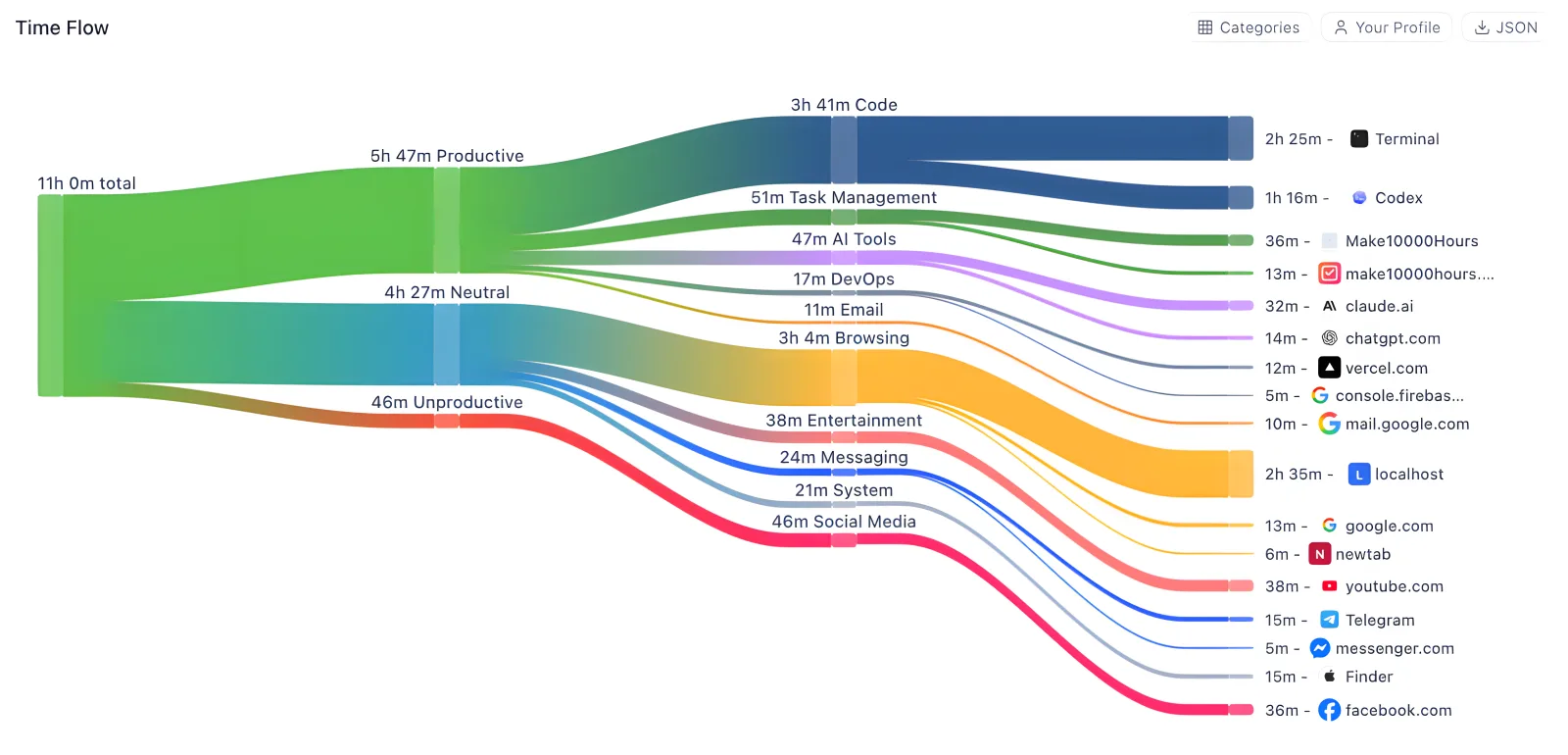
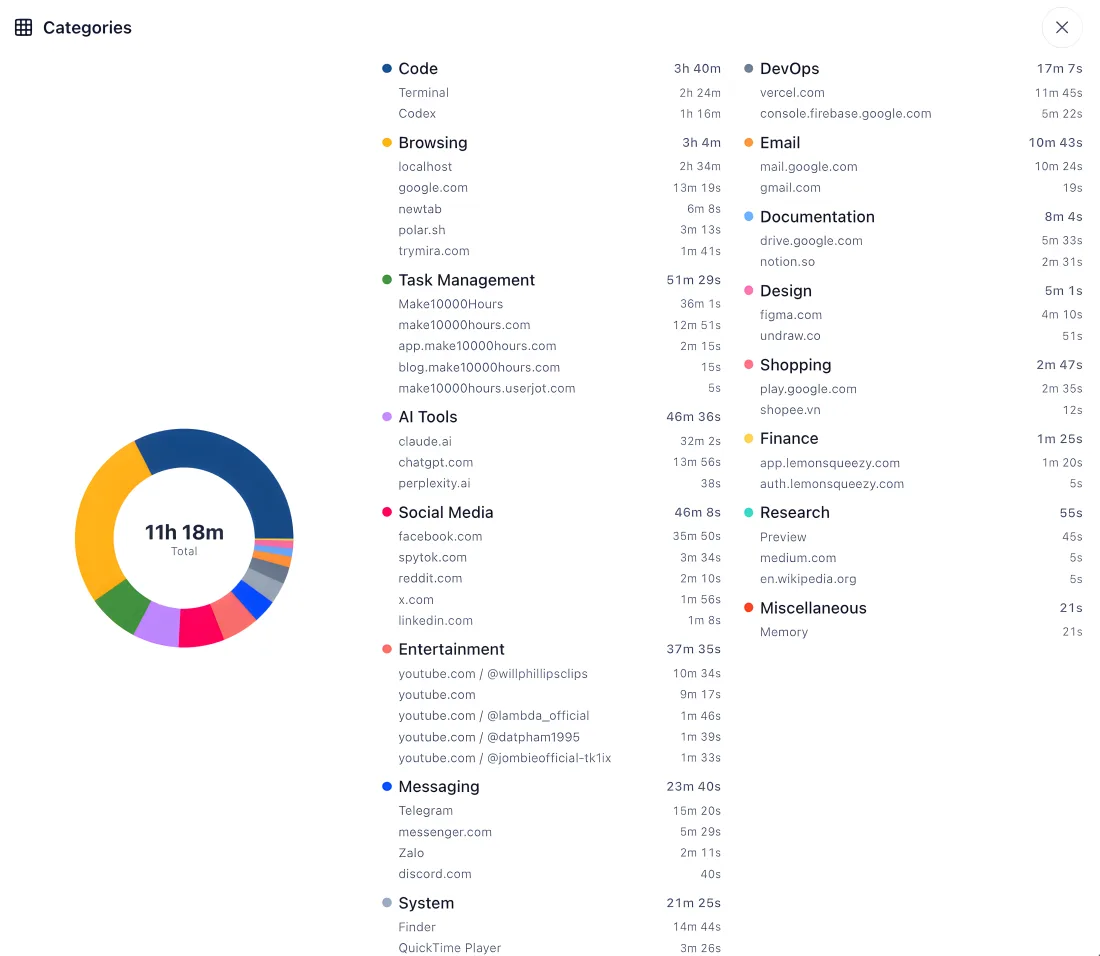
10000hours Focus Flow tracks desktop work activity automatically, labels apps and websites into useful categories, scores focus, and explains workday patterns.
Yes. 10000hours Focus Flow can automatically track desktop work activity so users do not have to start and label every time entry manually.
Yes. 10000hours Focus Flow can organize apps and websites into work categories so code, task management, documentation, messaging, browsing, and distracting activity become easier to review.
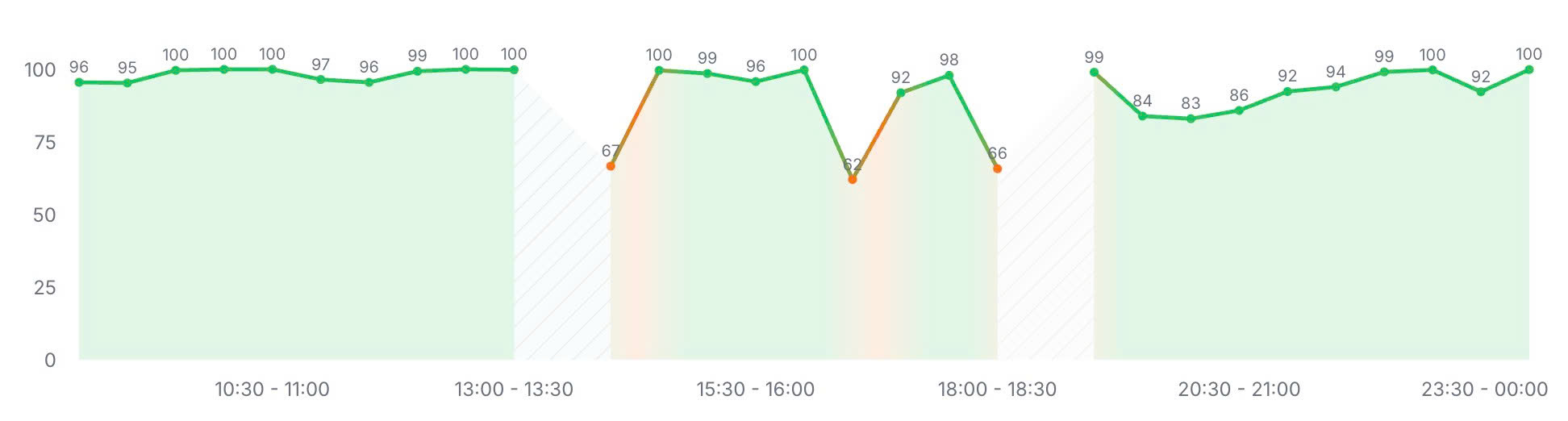
Real-time focus scoring in 10000hours Focus Flow gives an in-the-moment signal for how focused the current work period appears, based on available activity context.
Yes. 10000hours Focus Flow can surface context switches, social drifts, focus breaks, and other patterns that interrupt the workday.
Yes. 10000hours Focus Flow can turn activity signals into proactive focus nudges and practical guidance while work is still happening.
Yes. 10000hours Focus Flow can show real-time activity breakdowns for the current workday, while Focus Analytics owns deeper historical charts and reports.
Quick Dock shortcuts in 10000hours Focus Flow help users add a task, jot a note, log time, or ask AI without fully switching away from the current work context.
10000hours Focus Flow does not record or save your screen. On desktop, permissioned activity signals such as active app, window title, browser tab URL, and idle state support the local activity log and focus report.
10000hours Focus Flow tracks attention and focus signals automatically. For flow-state-style timing with count-up sessions until natural fatigue, use Flowmodoro on the 10000hours Pomodoro timer page.
The pricing page lists 10000hours Pro features such as automatic time tracking, Real Time Focus Scoring, AI-powered productivity coaching, Deep Focus Mode, and related Focus Flow capabilities. Check current pricing for plan details.


